Every business collects data. Leads come from websites, ads, referrals, emails, chatbots, and social media campaigns. Sales teams manage prospects and customers. Operations teams track tasks, projects, orders, inventory, or service delivery. Marketing teams measure traffic, content, campaigns, and conversions. Finance teams monitor invoices, payments, expenses, and revenue. Customer support teams handle questions, complaints, tickets, and follow-ups.
The problem is not always a lack of data. The real problem is that the data is often scattered.
Some information is stored in spreadsheets. Some is inside email inboxes. Some lives in website forms, CRM tools, accounting software, project boards, e-commerce platforms, or team chat messages. When business owners and managers cannot see important information clearly, decision-making becomes slower and less accurate.
This is where custom dashboard development becomes valuable.
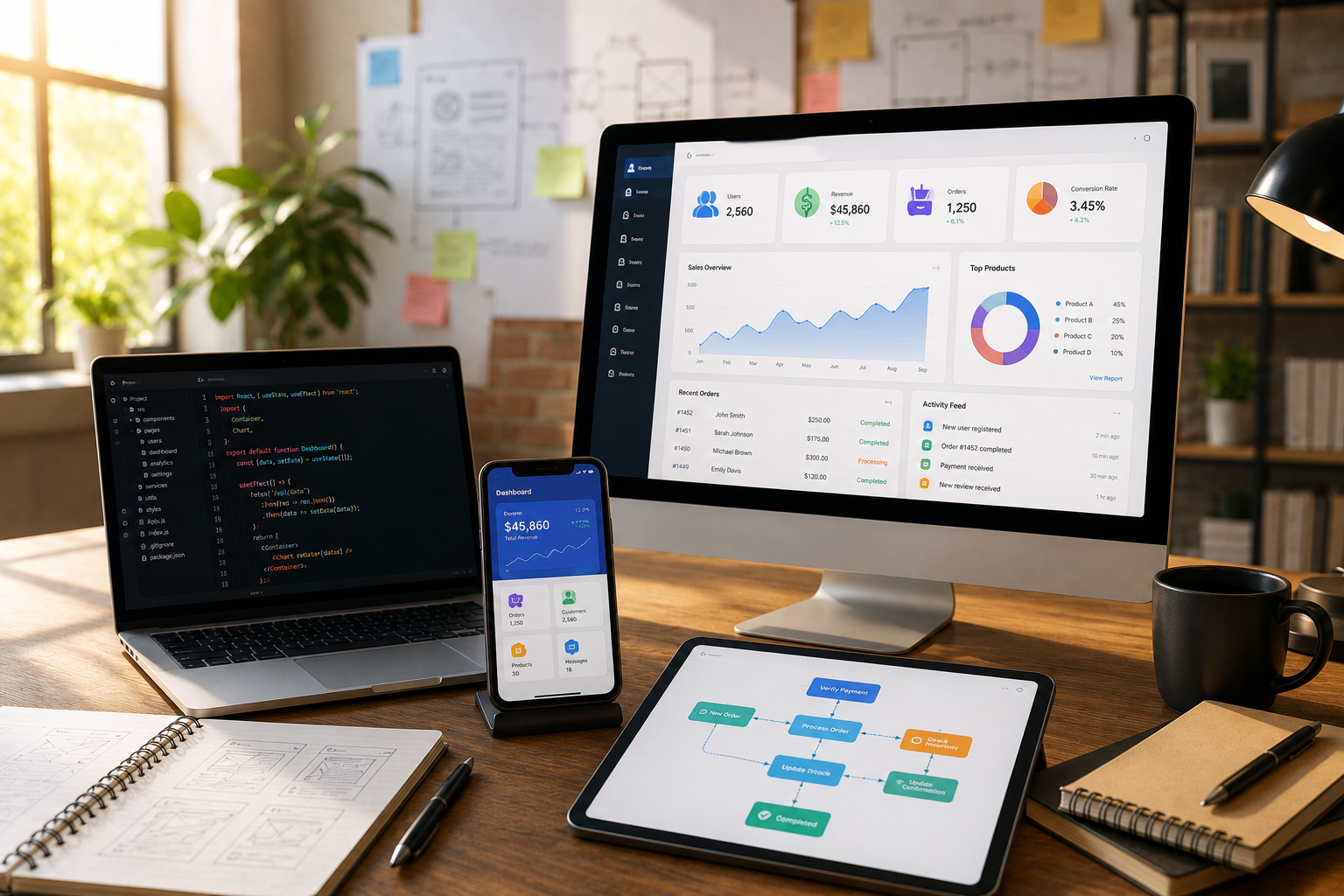
A custom dashboard brings important business data into one visual, organized, and easy-to-understand interface. Instead of checking multiple tools or waiting for manual reports, teams can view key performance indicators, activity summaries, trends, and alerts from one central system.
For businesses competing in the United States and global markets, fast and informed decision-making can create a real advantage. Companies that understand their numbers, workflows, customers, and performance can improve faster than businesses that rely only on guesswork.
At HBSS – Hybrid Software Solutions, we build custom software, web applications, admin dashboards, CRM and ERP-style systems, AI-assisted tools, automation workflows, and business reporting systems designed around real operational needs.
What Is Custom Dashboard Development?
Custom dashboard development is the process of designing and building a dashboard specifically for your business. It can show the data, charts, reports, filters, alerts, user roles, and workflows your team needs.
A dashboard may display sales performance, customer inquiries, project progress, employee activity, marketing results, e-commerce orders, inventory levels, financial summaries, support tickets, or operational KPIs.
Unlike generic reporting tools, a custom dashboard is built around your exact business process. It can connect with your website, CRM, database, e-commerce store, custom software, forms, APIs, or internal systems.
The goal is to give decision-makers clear visibility without making them search through multiple platforms.
Why Businesses Need Custom Dashboards
Many businesses waste time preparing reports manually. A team member may download data from one system, copy numbers into a spreadsheet, update charts, and send a weekly report. This process takes time and can create errors.
Custom dashboards reduce this problem by showing updated information automatically. Business owners can see what is happening without waiting for manual updates.
A dashboard also improves accountability. When leads, tasks, projects, sales, or support tickets are visible, teams can understand what needs attention.
For example, a manager can quickly see which leads have not been followed up, which projects are delayed, which sales channel is performing best, or which customer requests are still open.
Custom Dashboards for Sales and Lead Tracking
Sales dashboards are among the most useful types of business dashboards. They help teams track leads, follow-ups, conversions, proposals, deals, revenue, and sales activity.
A custom sales dashboard can show where leads are coming from, which services are requested most often, which sales team members are handling inquiries, and which prospects need urgent follow-up.
For a service business, this can improve response speed and conversion rates. For a software company, it can show which product or service category is creating the most demand. For a B2B company, it can help management understand the sales pipeline clearly.
When connected with a CRM or website form, the dashboard can update automatically whenever a new inquiry arrives.
Custom Dashboards for Marketing Performance
Marketing dashboards help businesses understand which campaigns are producing results. Website traffic alone is not enough. A business needs to know which traffic turns into inquiries, sales, bookings, or qualified leads.
A custom marketing dashboard can track SEO performance, website inquiries, landing page conversions, ad campaign results, email activity, social media leads, and content performance.
For example, if a blog article receives visitors but does not generate inquiries, the business may need stronger calls to action or better internal links. If a paid ad campaign creates many clicks but few qualified leads, the targeting or landing page may need improvement.
A marketing dashboard helps businesses spend time and budget more wisely.
Custom Dashboards for Operations and Projects
Operations dashboards help teams manage daily work more efficiently. They can show tasks, deadlines, project stages, order status, service requests, approvals, and team workload.
For project-based businesses, a custom dashboard can show active projects, completed milestones, pending client information, assigned team members, overdue tasks, and upcoming deadlines.
This reduces confusion and helps managers identify problems early. Instead of asking every department for updates, they can view current status from one system.
Operations dashboards are useful for agencies, software companies, consulting firms, logistics businesses, healthcare service providers, construction businesses, and many other industries.
Custom Dashboards for Finance and Revenue
Financial visibility is important for every growing business. A finance dashboard can show revenue, invoices, pending payments, expenses, profit trends, customer balances, and monthly performance.
A custom dashboard can also connect financial data with operations. For example, it can show which projects have unpaid invoices, which customers have pending balances, or which services are generating the most revenue.
This helps business owners make better decisions about pricing, budgeting, hiring, marketing, and expansion.
The dashboard does not always need to replace accounting software. In many cases, it can provide a high-level business view while integrating with accounting or invoicing tools.
Custom Dashboards for E-Commerce
E-commerce businesses need fast access to performance data. Product sales, orders, abandoned carts, customer behavior, inventory, refunds, payment issues, and campaign performance all matter.
A custom e-commerce dashboard can show best-selling products, low-stock items, average order value, customer segments, cart activity, sales trends, and order status.
For online stores, this information can directly support growth. If a product is selling quickly, the business can restock or promote it further. If checkout issues appear, the team can fix them quickly. If a campaign is driving poor-quality traffic, the marketing strategy can be adjusted.
Custom Dashboards for Customer Support
Customer support dashboards help businesses monitor support tickets, response times, unresolved issues, customer satisfaction, and repeated problems.
If customers keep asking the same question, the business may need better website content, clearer service instructions, or automation. If support response time is slow, management can identify workload problems.
A support dashboard helps improve customer experience by making issues more visible and easier to manage.
For companies that care about long-term customer relationships, support visibility is extremely important.
AI-Powered Dashboard Features
Modern custom dashboards can include AI-assisted features. AI can help summarize large data sets, identify trends, detect unusual activity, and suggest actions.
For example, an AI-assisted dashboard may summarize weekly performance, highlight slow sales follow-up, identify services with growing demand, or detect project delays.
AI can also help generate plain-language explanations of reports. Instead of only showing charts, the dashboard can provide short summaries that help managers understand what changed and what should be reviewed.
AI should not replace human decision-making, but it can help teams understand data faster.
Real-Time Alerts and Notifications
A dashboard becomes more powerful when it includes alerts. Instead of waiting for someone to check the data manually, the system can notify the right person when something needs attention.
For example, a custom dashboard can send alerts when:
A new high-value lead arrives
A project deadline is missed
A customer support ticket remains open too long
Inventory falls below a set level
A payment becomes overdue
Website inquiries suddenly drop
Server or application performance changes
A team member has too many pending tasks
These alerts help businesses respond faster and avoid preventable problems.
Role-Based Dashboard Access
Not everyone in a business needs to see the same information. A custom dashboard can include role-based access so each user sees the data relevant to their work.
Sales teams may see leads and follow-ups. Finance teams may see invoices and revenue. Operations teams may see projects and tasks. Executives may see high-level KPIs across the company.
Role-based access improves security and keeps the dashboard simple for users. Employees do not have to navigate through unnecessary information.
Custom Dashboard vs Generic Reporting Tools
Generic dashboard tools can be useful for some businesses. However, they may not always match your workflow or connect properly with your systems.
A custom dashboard gives more flexibility. It can be designed around your business goals, data sources, user roles, branding, reports, and automation needs.
Custom dashboard development is especially useful when your business uses custom software, multiple lead sources, industry-specific workflows, or unique reporting requirements.
The dashboard should not be overloaded with unnecessary charts. It should show the information that helps your team make better decisions.
Signs Your Business Needs a Custom Dashboard
Your business may need a custom dashboard if reporting takes too long, data is scattered across multiple tools, managers do not have clear visibility, leads are being missed, projects are difficult to track, or teams rely too much on manual spreadsheets.
You may also need a dashboard if your business is growing and you need better control over sales, operations, marketing, finance, or customer service.
A custom dashboard is not only for large companies. Small and medium-sized businesses can also benefit from better reporting and visibility.
Build Custom Dashboards With HBSS
HBSS – Hybrid Software Solutions helps businesses build practical software systems for smarter growth. We develop custom dashboards, web applications, admin panels, CRM and ERP-style platforms, reporting systems, AI-assisted tools, websites, e-commerce systems, automation workflows, and ongoing support solutions.
Whether your business needs a sales dashboard, marketing dashboard, finance dashboard, operations dashboard, customer support dashboard, or complete business intelligence system, HBSS can help design and develop a solution around your actual workflow.
A good dashboard should make business information easier to understand and easier to act on.